Genomics & transcriptomics
Nayancode Variant Studio
From VCF to evidence, with nothing uploaded unless you ask.
VCF QC and filtering, somatic TMB and VAF, mutational signatures, public evidence lookups and GWAS plots.
Free · runs in your browser · nothing uploaded
Overview
What Variant Studio does
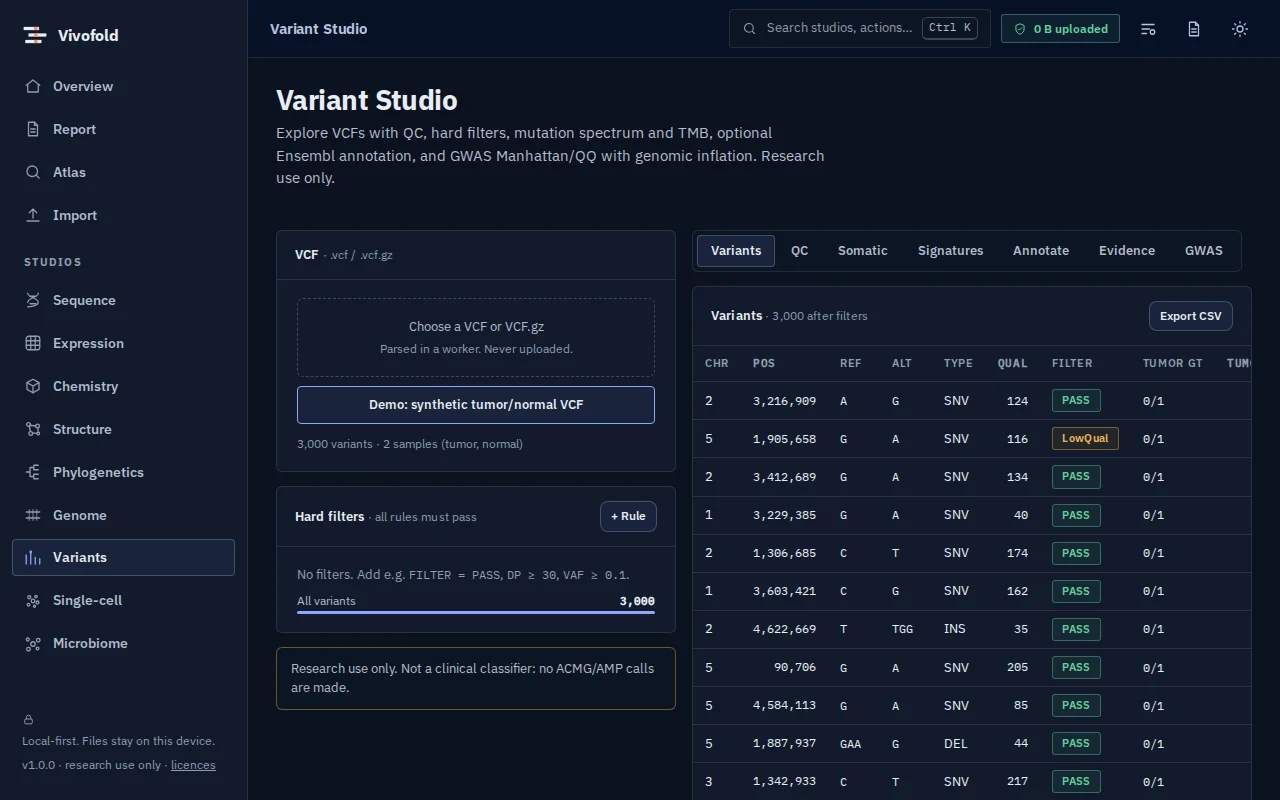
Variant Studio explores VCF files on your own computer: quality summaries, flexible filters, somatic tumour-mutational-burden and allele-fraction views, and de novo mutational signatures extracted with non-negative matrix factorisation.
When you choose, it looks up public evidence for selected variants (ClinVar, CIViC, Open Targets and gnomAD) and annotates with Ensembl VEP. GWAS summary statistics become Manhattan and QQ plots in seconds.
Technical specifications
- Inputs
- VCF · GWAS summary statistics
- Outputs
- Filtered VCF and tables · Signature profiles · Evidence summaries · GWAS figures
- Engine
- TypeScript kernels; public APIs only when you ask for a lookup
- Platforms
- Chrome, Edge, Firefox and Safari (current versions) · Windows, macOS, Linux and ChromeOS · No installation, no account, no upload
- Limits
- Evidence lookups call public databases only when you ask; research use only
- Licence
- Free during the public preview; institutional licences on request
Features
Capabilities
VCF QC and filters
Depth, quality, genotype and consequence filters with live counts.
Somatic views
Tumour mutational burden and variant-allele-fraction distributions.
Mutational signatures
De novo NMF extraction and refitting, without restricted reference catalogues.
Evidence on demand
ClinVar, CIViC, Open Targets and gnomAD lookups only for the variants you select.
GWAS plots
Manhattan and QQ plots from summary statistics.
Use cases
Who uses it, and for what
- Reviewing variant calls from a pipeline
- Exploring a tumour sample’s mutational processes
- Teaching variant interpretation
Documentation
Quick start
Open Variant Studio
Use the button on this page or the Workbench menu. Nothing to install; works in current Chrome, Edge, Firefox and Safari.
Load data or the demo
Drop in your files (VCF, GWAS summary statistics) or load the labelled synthetic demo to explore safely.
Run and inspect
Results appear as interactive figures and tables; each analysis records its parameters and versions.
Export and cite
Export figures and tables, add them to a report, and copy the auto-written methods paragraph.
Learn the methods with Vedicgen
Courses that use Variant Studio
Talk to us
Request a demo or ask a question
For classroom use, self-hosted deployments, custom studios or support. We reply within two working days.
Public preview: Free
Academic & teaching: Free for classrooms
Institutional & enterprise: On request