Genomics & transcriptomics
Nayancode Sequence Studio
Design, digest, clone and align, before you pick up a pipette.
DNA, RNA and protein analysis: ORFs, digests and virtual gels, primers and in-silico PCR, cloning, guide design, Sanger traces and alignment.
Free · runs in your browser · nothing uploaded
Overview
What Sequence Studio does
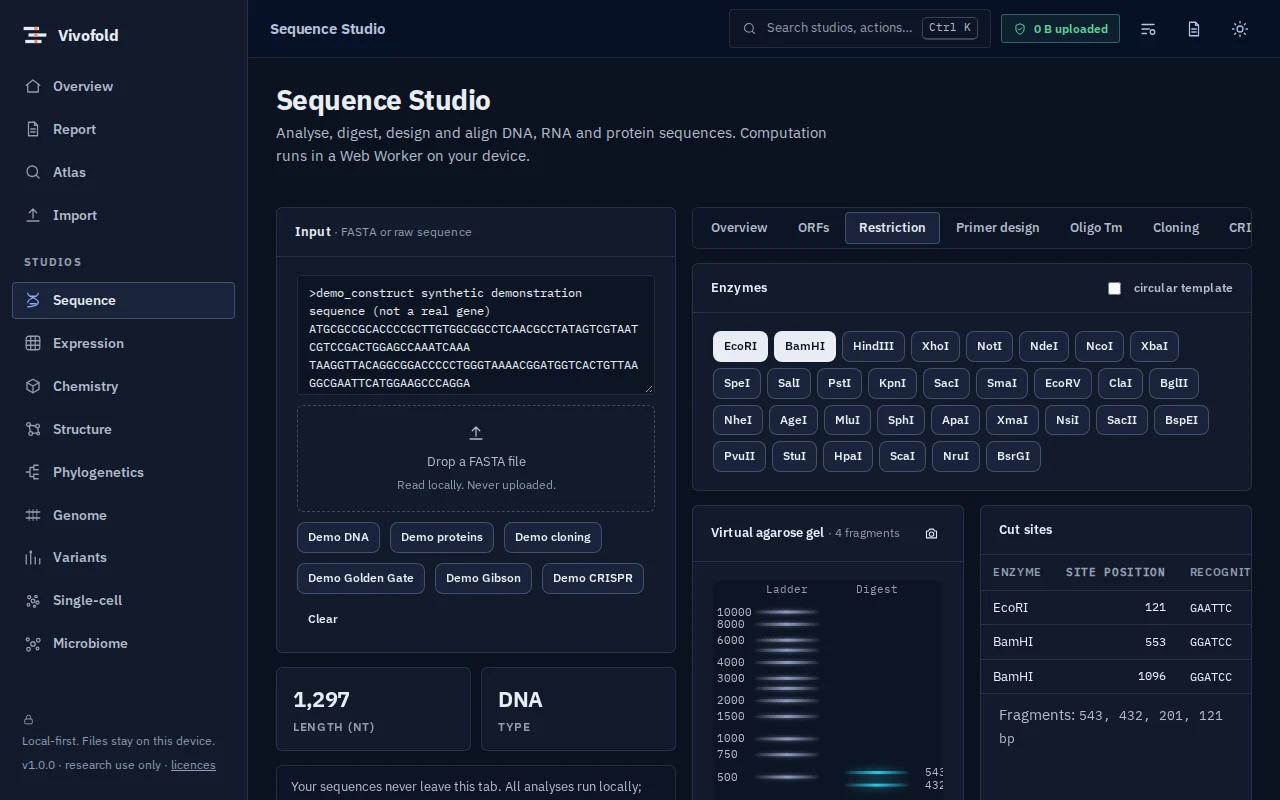
Sequence Studio is a molecular-biology bench on screen. Find open reading frames, simulate restriction digests on a virtual gel, design primers and test them by in-silico PCR, plan Golden Gate and Gibson assemblies, and inspect Sanger traces against a reference.
It is built for the daily questions of wet-lab scientists and for teaching: every result is visual, every parameter is explained and nothing needs to be installed.
Technical specifications
- Inputs
- FASTA · Pasted text · Sanger .ab1 traces
- Outputs
- Annotated maps and gel images · Primer lists (CSV) · Assembled construct sequences (FASTA/GenBank-style) · Alignments
- Engine
- TypeScript kernels in a Web Worker
- Platforms
- Chrome, Edge, Firefox and Safari (current versions) · Windows, macOS, Linux and ChromeOS · No installation, no account, no upload
- Limits
- Browser-scale sequences; genome-wide searches belong on the future cloud tier
- Licence
- Free during the public preview; institutional licences on request
Features
Capabilities
Cloning simulator
Restriction, Golden Gate and Gibson assembly with primer design; invalid assemblies are refused with a reason.
Primers and in-silico PCR
Design primers with Tm, GC and dimer checks and confirm the products they would amplify.
Digest and virtual gel
Restriction maps and a gel image with ladders, so you know what to expect at the bench.
Sanger trace viewer
Open .ab1 files, trim by quality and compare with a reference.
Protein analysis
Hydropathy, transmembrane and disorder profiles, charge and composition.
Alignment and dot plots
Pairwise alignment with affine gaps and dot plots for repeats and rearrangements.
Use cases
Who uses it, and for what
- Planning a cloning experiment
- Checking primers before ordering
- Verifying a construct from Sanger reads
- Teaching molecular biology with real sequences
Documentation
Quick start
Open Sequence Studio
Use the button on this page or the Workbench menu. Nothing to install; works in current Chrome, Edge, Firefox and Safari.
Load data or the demo
Drop in your files (FASTA, Pasted text, Sanger .ab1 traces) or load the labelled synthetic demo to explore safely.
Run and inspect
Results appear as interactive figures and tables; each analysis records its parameters and versions.
Export and cite
Export figures and tables, add them to a report, and copy the auto-written methods paragraph.
Learn the methods with Vedicgen
Courses that use Sequence Studio
Talk to us
Request a demo or ask a question
For classroom use, self-hosted deployments, custom studios or support. We reply within two working days.
Public preview: Free
Academic & teaching: Free for classrooms
Institutional & enterprise: On request