Genomics & transcriptomics
Nayancode Expression Studio
Counts in, differential expression and pathways out.
Bulk RNA-seq from a count matrix: QC and PCA, ComBat batch correction, differential expression, volcano and heatmaps, ORA and GSEA.
Free · runs in your browser · nothing uploaded
Overview
What Expression Studio does
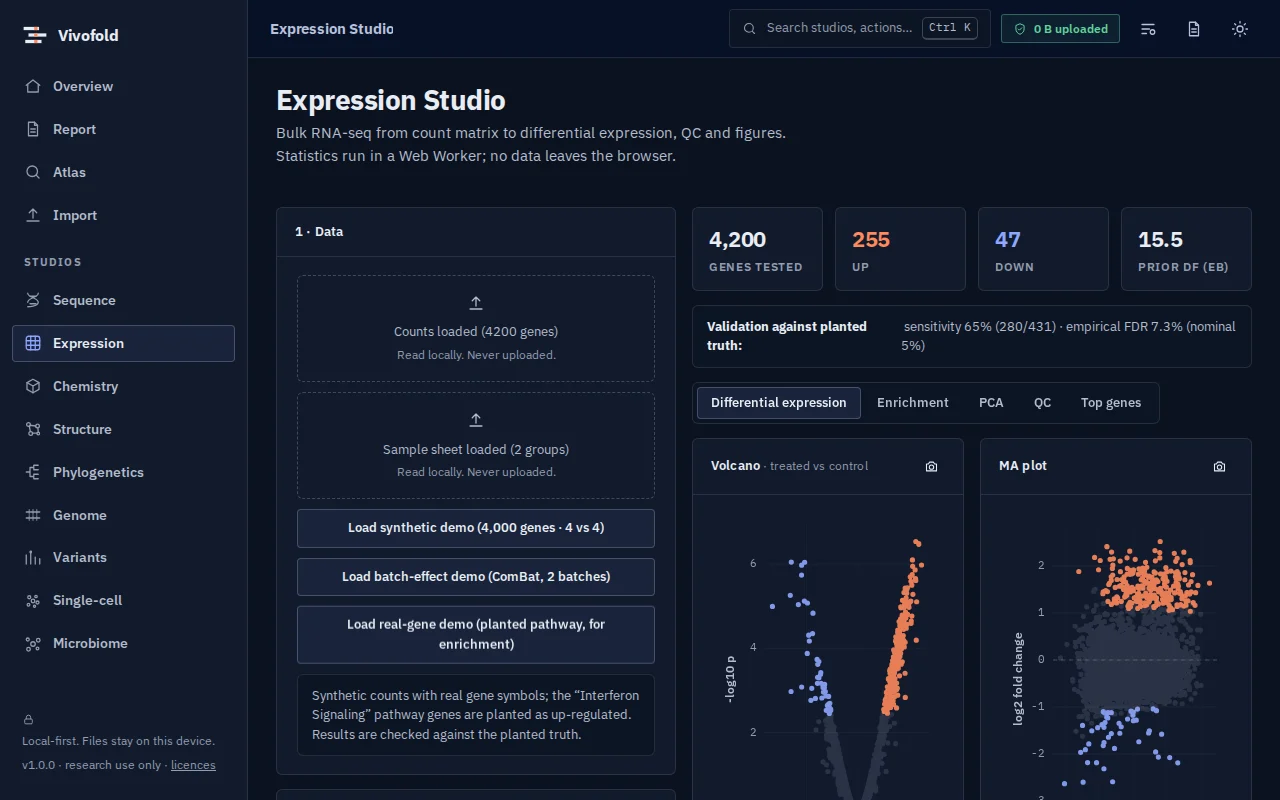
Expression Studio takes a count matrix and a sample sheet and walks through a complete bulk RNA-seq analysis: sample QC and PCA, optional ComBat batch correction, differential expression with a moderated t-test, and interactive volcano, MA and heatmap figures.
Enrichment uses bundled, openly licensed pathway collections (Reactome, WikiPathways and GO) for over-representation and preranked GSEA, so it works offline.
Technical specifications
- Inputs
- Count matrix CSV/TSV · Sample sheet
- Outputs
- DE tables · Volcano, MA and heatmap figures · Enrichment tables · Corrected matrices
- Engine
- TypeScript kernels in a Web Worker
- Platforms
- Chrome, Edge, Firefox and Safari (current versions) · Windows, macOS, Linux and ChromeOS · No installation, no account, no upload
- Limits
- Two-group designs; confirm key findings with DESeq2 or limma
- Licence
- Free during the public preview; institutional licences on request
Features
Capabilities
Sample QC and PCA
Library sizes, distributions and PCA to catch outliers and batch structure.
Batch correction
ComBat with before-and-after PCA and a corrected-matrix export.
Differential expression
Moderated t-statistics with Benjamini–Hochberg control.
Interactive figures
Volcano, MA and clustered heatmaps with gene search and export.
Pathway enrichment
ORA and preranked GSEA on Reactome, WikiPathways and GO, bundled offline.
Use cases
Who uses it, and for what
- A first look at a new RNA-seq experiment
- Teaching differential expression
- Checking batch effects before a formal DESeq2 analysis
Documentation
Quick start
Open Expression Studio
Use the button on this page or the Workbench menu. Nothing to install; works in current Chrome, Edge, Firefox and Safari.
Load data or the demo
Drop in your files (Count matrix CSV/TSV, Sample sheet) or load the labelled synthetic demo to explore safely.
Run and inspect
Results appear as interactive figures and tables; each analysis records its parameters and versions.
Export and cite
Export figures and tables, add them to a report, and copy the auto-written methods paragraph.
Learn the methods with Vedicgen
Courses that use Expression Studio
Talk to us
Request a demo or ask a question
For classroom use, self-hosted deployments, custom studios or support. We reply within two working days.
Public preview: Free
Academic & teaching: Free for classrooms
Institutional & enterprise: On request